
Social media scams and fake profiles after a death (UK)
When someone dies, the last thing you want to think about is scams. You’re dealing with calls, paperwork and emotions, and then social media throws up something odd: a strange friend request, a message asking for donations or a new profile that looks just like your relative.
Unfortunately deaths can attract opportunists. Obituaries, Facebook posts and online tributes give scammers names, dates and relationships to work with.
Why deaths attract social media scams
From a scammer’s point of view, a public death notice is a goldmine:
- Names of the person who died, their partner, children and wider family.
- Dates and places of funerals or memorials.
- Links to tribute pages and JustGiving-style fundraisers.
They know people are distracted, tired and emotional. Friends and relatives may be more likely to click a link “just to get things done” or to respond quickly to anything that looks connected to the death.
Being cautious here isn’t about paranoia. It’s simply recognising that public grief can be misused and giving yourself permission to pause and check before you click, forward or donate.
Common scam patterns after a death
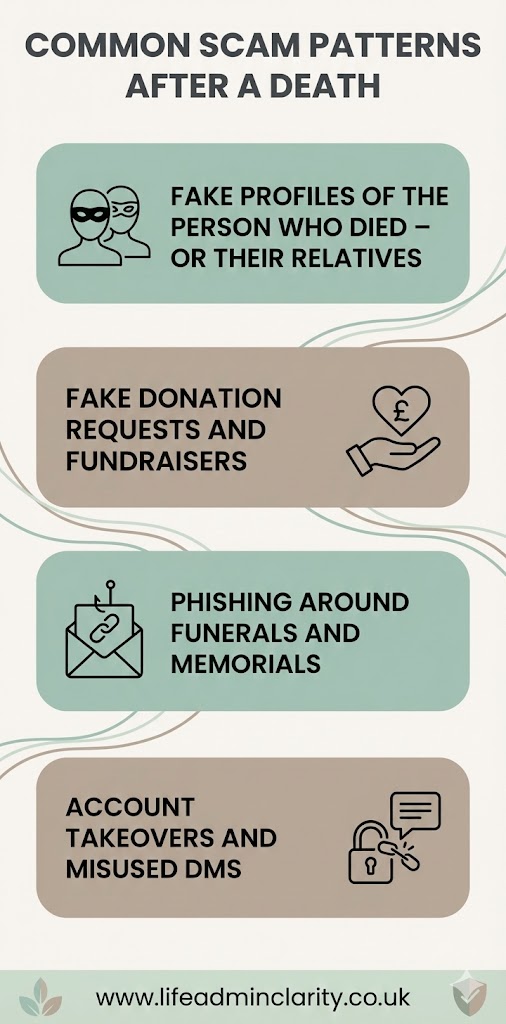
Fake profiles of the person who died – or their relatives
One common pattern is a cloned profile: someone copies the name and photo of the person who died (or a close relative), then sends friend requests to their contacts. Once accepted, they might:
- Ask for money “to help with funeral costs”.
- Send links to fake tribute pages.
- Try to get personal details “for the book of condolence”.
It can be unsettling to see a new account pop up using your parent’s or partner’s face. If you’re unsure, treat it as suspicious until you’ve checked with someone you trust.
Fake donation requests and fundraisers
Scammers also set up bogus fundraisers or drop links into comments under public posts:
- “We’re raising money for the family – please donate here.”
- “Help with unexpected funeral costs.”
These may use the real name of the person who died and scraped photos, but the money goes straight to the scammer. Sometimes they clone a genuine charity page and just change the bank details.
Phishing around funerals and memorials
Another pattern is messages about streams, photo galleries or tribute sites, for example:
- “Here is the live stream link for the funeral.”
- “View and download professional photos from the service.”
- “Sign the online book of condolences here.”
If these come from an unknown account, they may lead to fake login pages or sites that try to grab card details or install malware.
These may also appear as comments underneath genuine posts.
Account takeovers and misused DMs
Sometimes scammers get into a real account – perhaps through a data breach, reused password or phishing. Then they message friends as if they are the person who died or their widow/widower:
- “Can you help me urgently, I’m stuck with a bill.”
- “I’m organising something in their memory, can you send money via this link?”
Because the account looks genuine, people lower their guard. That’s why locking accounts down and watching for odd behaviour matters.
Simple checks before you click, share or donate
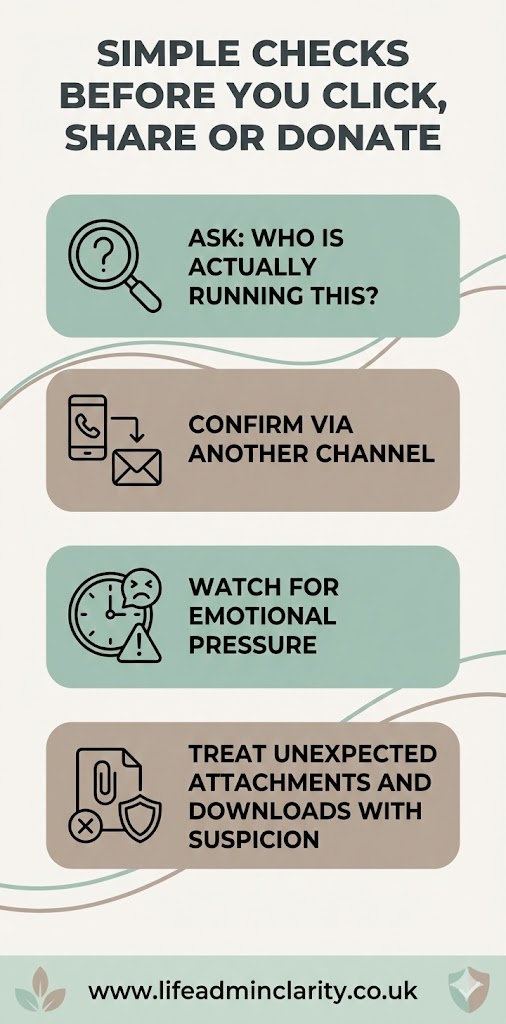
You don’t have to become an investigator. A few quick habits go a long way.
Ask: who is actually running this?
Before you donate or follow a link, check who set it up. Is it clearly run by:
- A charity you recognise?
- The funeral director?
- A named close family member you know?
If it’s “a friend of the family” you’ve never heard of, take a breath and double-check.
Confirm via another channel
If you’re not sure about a link or a fund:
- Phone or message a relative you trust.
- Check the charity’s official website rather than the link you’ve been sent.
- For funeral streams, check with the funeral director or look at written details you already have.
Watch for emotional pressure
Scammers often lean on urgency or guilt:
- “We need this today or the funeral can’t go ahead.”
- “Don’t tell anyone, this is private.”
Real organisations almost never work like that. It’s perfectly fine to say, “I’ll check and come back to you,” or to ignore a message altogether if it doesn’t feel right.
Treat unexpected attachments and downloads with suspicion
If you’re sent a “video tribute”, “photo file” or “order of service” by someone you don’t know, don’t open it. If in doubt, delete rather than risk infecting your device.
How tidying up social media can reduce the risk
You can’t stop every scammer on the internet, but you can make life a bit harder for them.
- Memorialise or close key profiles – turning a Facebook or Instagram account into a memorial, or closing it, makes it clearer which profile is genuine and reduces the chance of convincing clones.
- Limit who can post on public pages or memorial posts. If your announcement is public, consider turning off comments after a while, or restricting posting to friends only.
- Keep details modest in public posts. You don’t have to share full addresses, exact timings or long lists of close relatives on open pages; those can be shared privately instead.
- Check privacy settings on your own accounts if you’re posting about the death – fewer open details mean fewer hooks for scammers.
If you’re already following the wider guidance on managing social media after a death – memorialising or closing accounts, using platform forms – you’re also quietly cutting down scam opportunities.
When and how to report fake profiles or suspicious activity
You’re not expected to chase every odd thing you see. But some situations are worth acting on.
- If you see a profile pretending to be the person who died, or a close relative, report it for impersonation and ask friends to do the same.
- If a fundraiser or page looks wrong, don’t donate; report it as a scam within the platform.
- If an account you know has been quiet suddenly starts sending odd messages or money requests, assume it may have been taken over and contact the real person’s family another way.
On most platforms, “report” just means clicking a menu next to the name or post and choosing an option like Report > Pretending to be someone or Report > Scam or fraud. “Block” stops that account contacting you or seeing your posts.
It’s also worth letting close family members know if something suspicious is circulating, so they’re not caught off guard.
Protecting yourself without overthinking it
You don’t have to scan every comment or become a scam expert. A sensible balance is enough:
- Assume that public death notices and posts might attract a few chancers.
- Treat new friend requests, money asks and links with gentle suspicion, especially in the first few weeks.
- Tidy or close the main profiles when you can, to make fakes easier to spot.
- Don’t be afraid to ignore, delete, report or block if something feels off.
This is general information, not legal or financial advice. If you think money has already been lost to a scam, speak to your bank as soon as you can and consider getting tailored guidance from a suitable adviser or from organisations like Citizens Advice.